

CLOUD EDITING FOR EXCEL & WORD
Comprehensive, Fast, Flexible Excel & Word Processor Document Editors
Word Processor
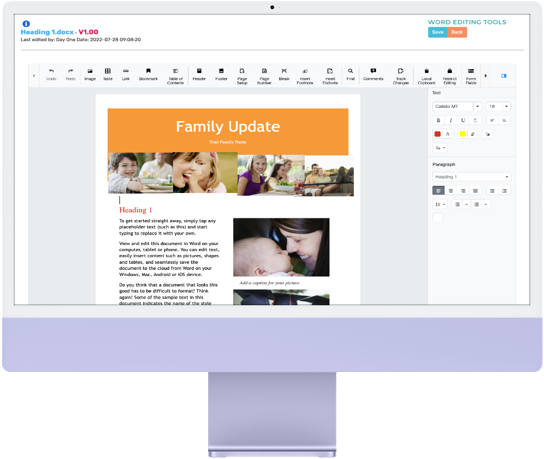
Our Word Processor is a feature-rich UI component with editing capabilities like Microsoft Word, it is used to create, edit, view, and print Word documents. It provides all the common Word processing features including editing text, formatting contents, resizing images and tables, finding and replacing text, bookmarks, tables of contents, printing, and importing and exporting Word documents.Word Processor includes all the commonly used document elements like text, images, tables, hyperlinks, bookmarks, table of contents, page fields, sections, headers and footers.
Excel Processor
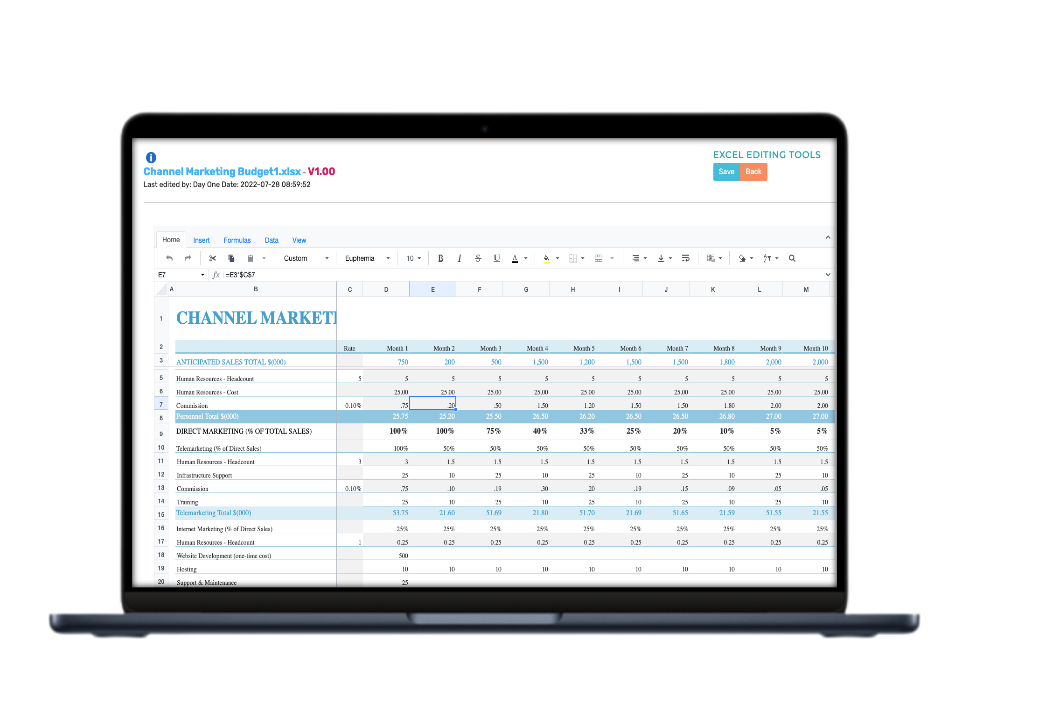
Our Spreadsheet Processor, also known as the Excel viewer, is a feature-rich component for organising and analysing data in tabular format. It provides all the common Excel features, including data binding, selection, editing, formatting, resizing, sorting, and importing and exporting Excel documents. Data editing allows you to add, edit, and remove formulas or values in a cell. Edit the contents of a cell directly in the cell or by typing the formula bar.Excel Processor provides interactive support to highlight the cells, rows, columns, and sheets selected. Selection can be done through mouse, touch, or keyboard interaction.
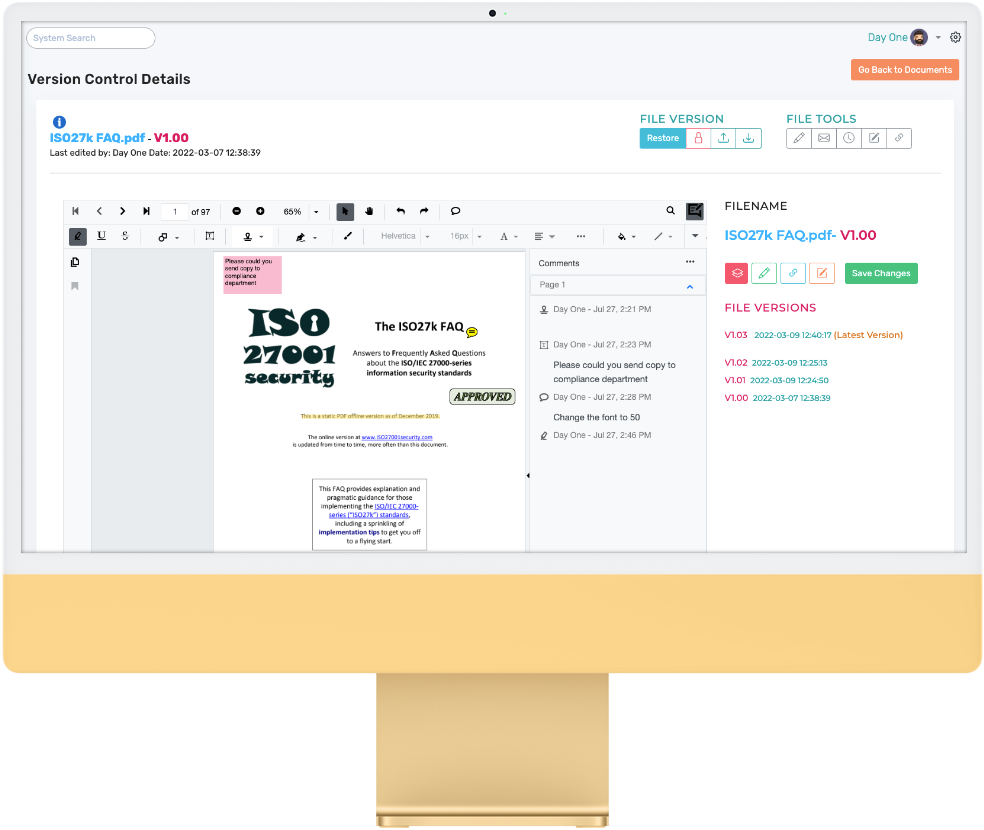
PDF Annotations
The practice of adding any extra text, graphics, or objects to a PDF document. Annotations are essential in PDFs as it allows you to add vital info on them. No more specialist software to make this possible, formatting text with highlights, underlines, and strikethroughs, or inserting sticky notes, shapes, and freehand drawings.Our in app pdf annotation technology combined with our advance version control ensures that no changes are lost. Annotations provide immense time saving when it comes to proofreading, taking notes and collaborative work.